Updates
When updates do not run
This page is for the administrator who expected a workstation to update and it has not. The update’s own checks are on How updates work.
When updates do not run
Section titled “When updates do not run”| Condition | Effect | How to recognise it |
|---|---|---|
| The host is not enrolled | Updates are off. The update service identifies a workstation by its certificate, so a host without one cannot ask. The Host Logs say “updates are off until there is one”. | The Host Status Window banner reads “Not registered with the connection service”. |
| A session is running | The install waits. The next check after the session ends installs it, if the window is open. | The Health section’s Stream server line reads “Running in session N”. |
| Outside the window | The install waits for the window. | The time is outside WindowStart to WindowEnd; see Settings. |
| The update service is unreachable | The host tries again at the next check. Nothing fails. | The workstation cannot reach updates.computle.com on TCP 443. |
| The driver set changed | The update is refused and reported. Run the new installer by hand; see Upgrade, repair and uninstall. | The version in the status window stays behind while other workstations move on. |
Not enrolled
Section titled “Not enrolled”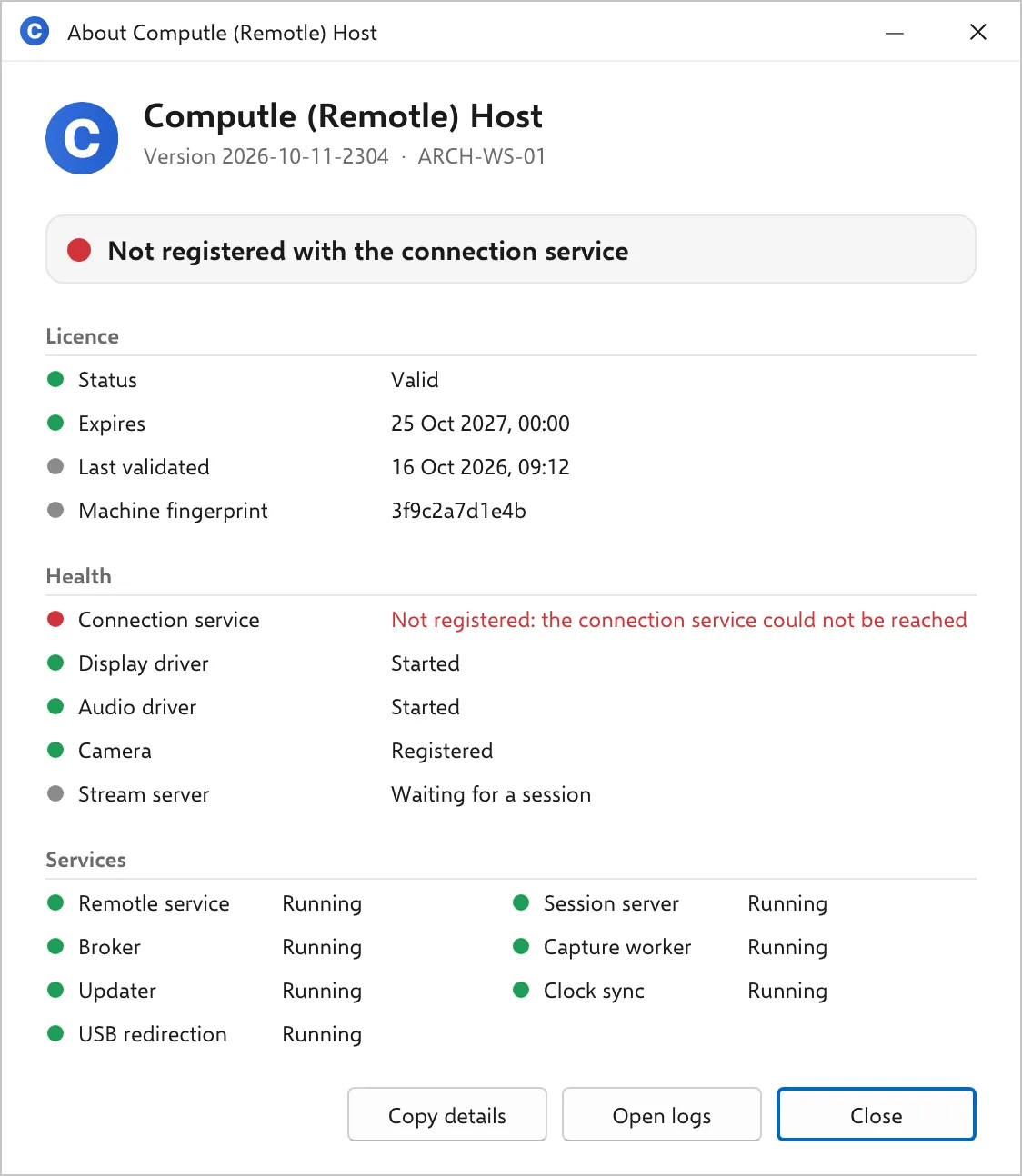
A session is running
Section titled “A session is running”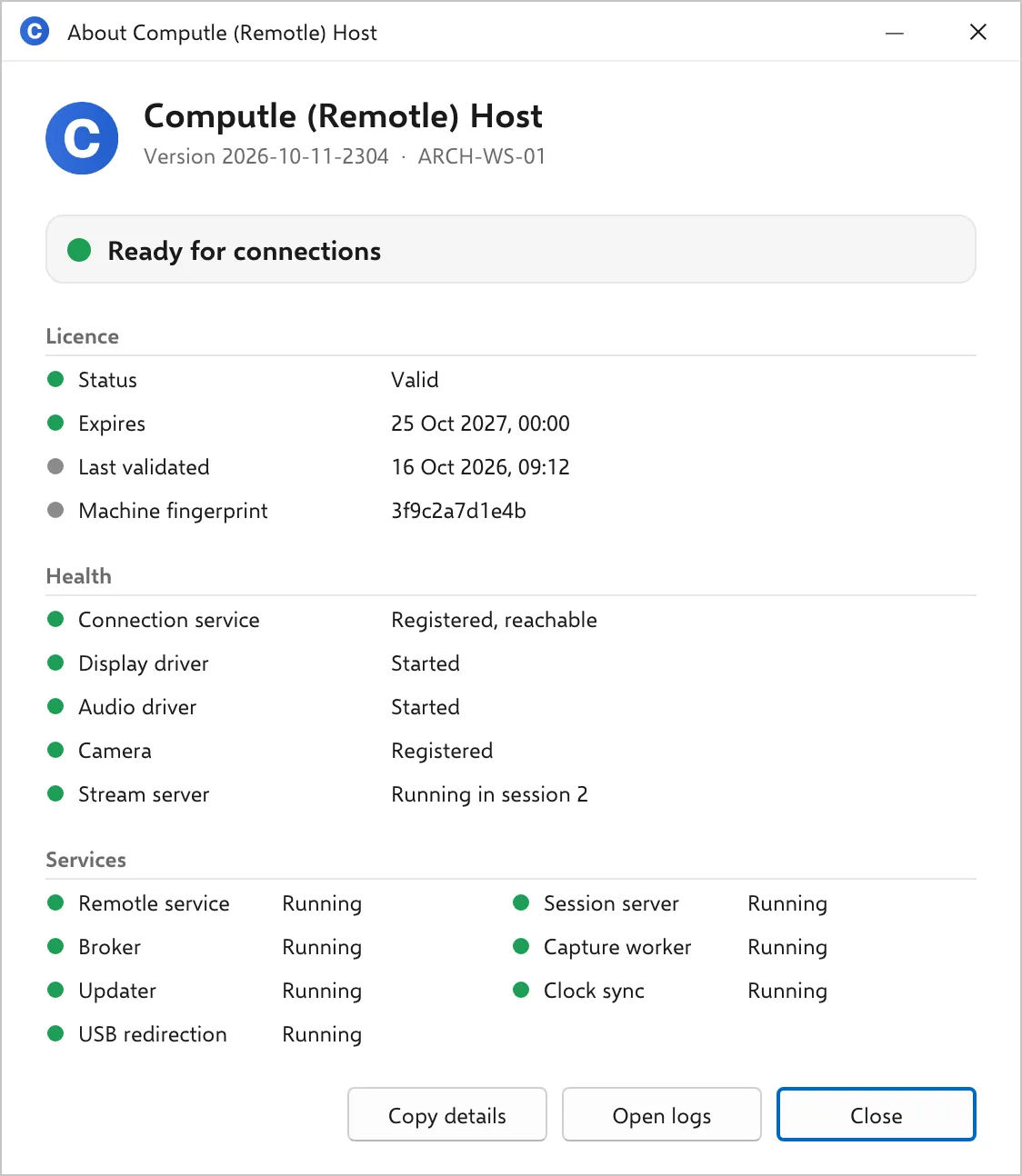
Related
Section titled “Related”Questions
Section titled “Questions”The workstation is on and idle every night and still has not updated
Section titled “The workstation is on and idle every night and still has not updated”Check the four conditions in order: the banner, the window settings, access to updates.computle.com, and whether the release changed the drivers. If none applies, turn local logging on and read the updater’s log; see Host Logs.