Download and Install
Check Your Version
Every platform shows the version in the app, under Settings, About.
In the app
Section titled “In the app”-
Open Settings from the cog at the top of Your machines.

-
Click About.
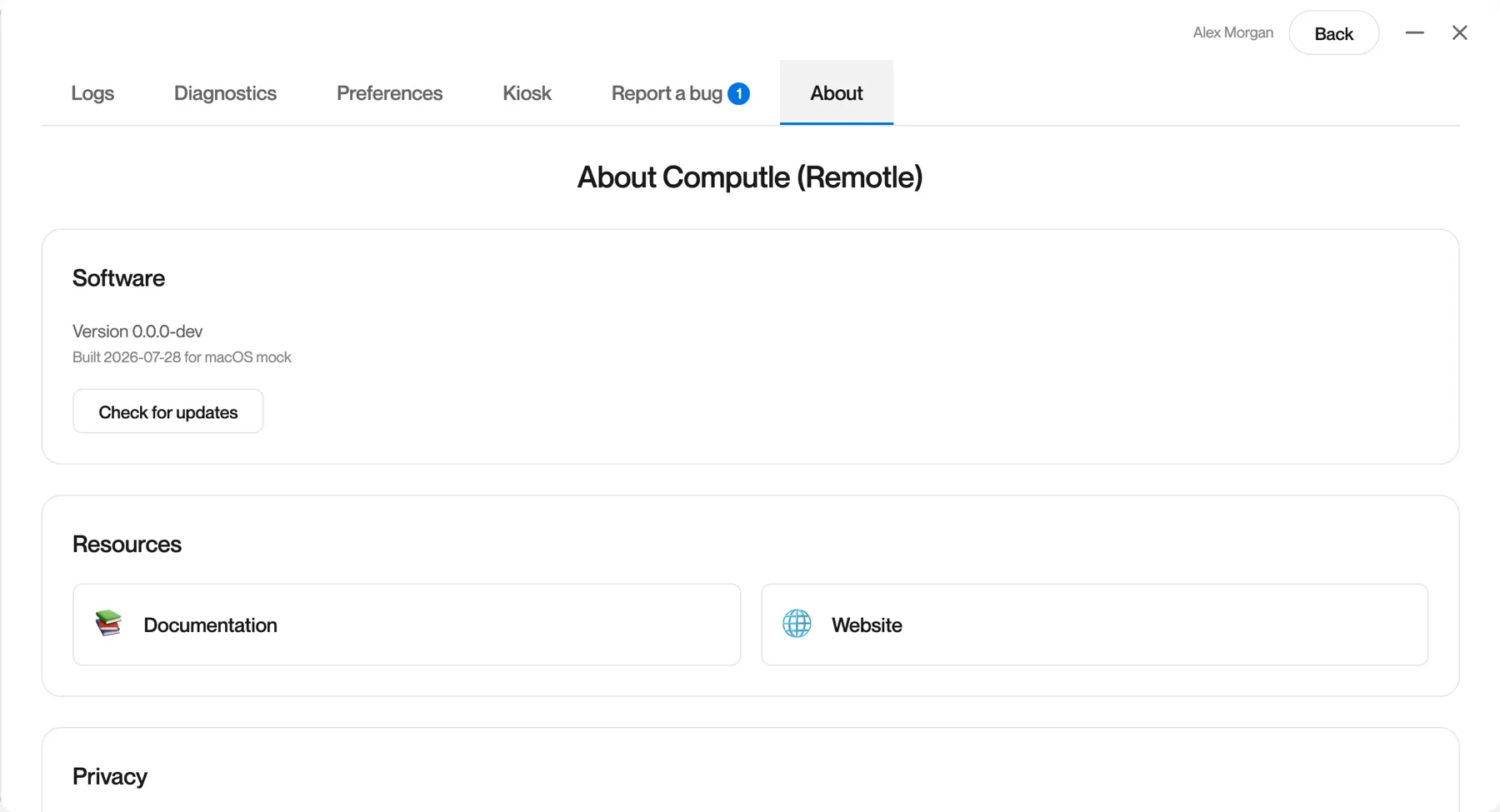
| Field | Meaning |
|---|---|
| Version | The build you have, named by its build date and time, for example 2026-10-11-2304 |
| Built | The build date, the platform and the processor type |
| Check for updates | Asks the update service whether a newer version is available. See Updates. |
The same About card is on the About tab of the session menu while you are connected, so you can read the version without leaving your desktop.
On each platform
Section titled “On each platform”About Computle (Remotle)
Section titled “About Computle (Remotle)”The Windows install folder also holds a separate program, About Computle (Remotle). It opens even when the Remotle app will not, so you can read the version and see what is stopping Remotle from starting. Support may ask you to open it.
It has no Start menu shortcut. To open it:
-
Open File Explorer and go to
C:\Program Files\Computle\Remotle Client\bin. -
Double-click
ComputleRemotleClientAbout.exe.It runs as you, without an administrator prompt. Opening it a second time brings the existing window to the front.
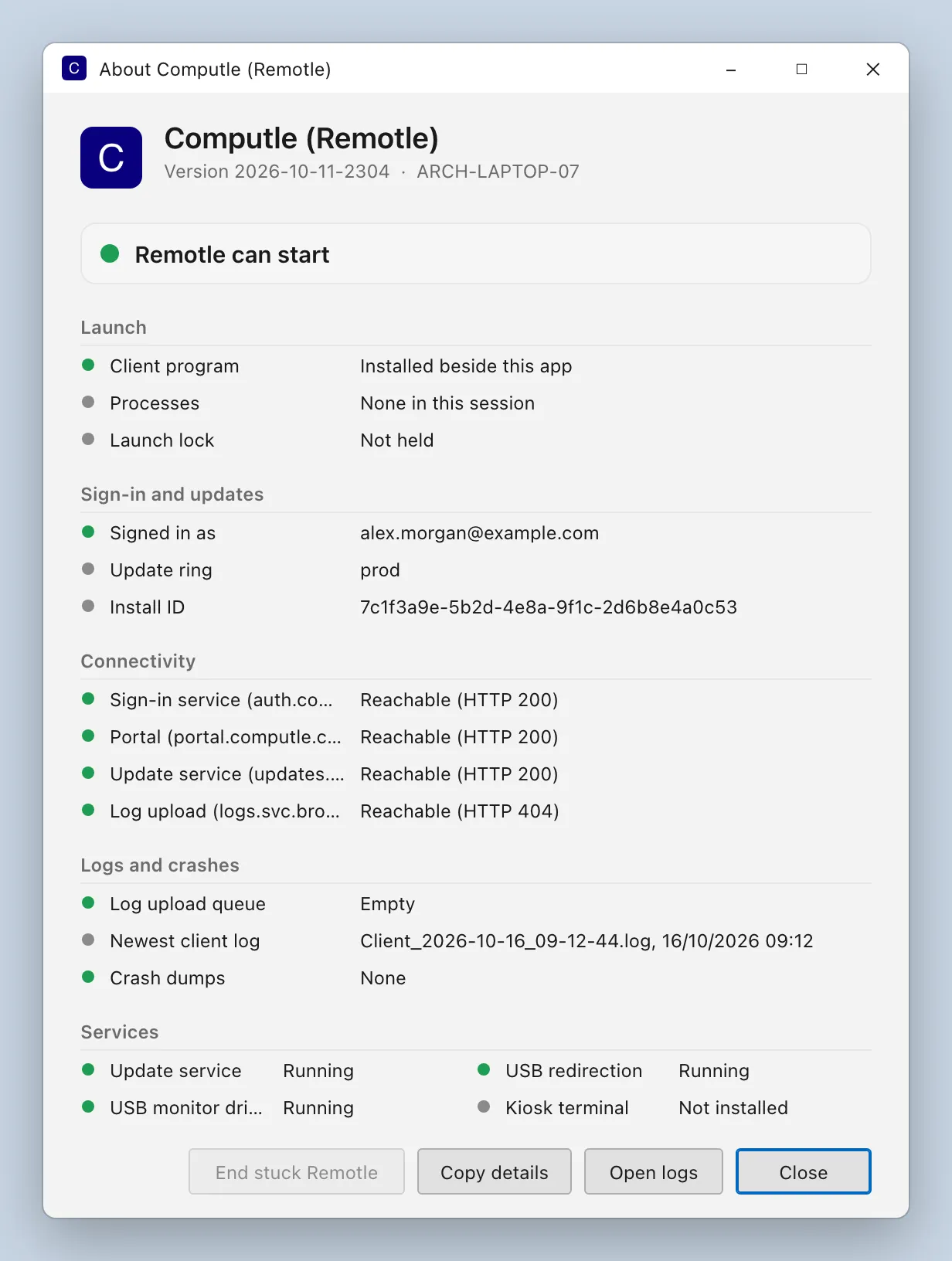
The window refreshes itself every two seconds. At the top it shows Computle (Remotle), the version and your computer’s name. Below that is a banner that says whether Remotle can open, then five sections.
The banner
Section titled “The banner”| Banner | Meaning | What to do |
|---|---|---|
| Remotle can start | No copy of Remotle is running in your session and nothing blocks a launch. | Open Remotle from its shortcut. |
| Remotle is running | A copy of Remotle is open and its window answers. | Nothing. Switch to the Remotle window. |
| Remotle is starting | A copy started in the last 20 seconds and has not shown its window yet. | Wait a few seconds. |
| A stuck Remotle process is blocking launch | A copy of Remotle has no window, or its window does not answer, so a new launch stops at “already running”. | Click End stuck Remotle, then open Remotle again. |
| A Remotle process without a window cannot be read by this account | A copy of Remotle is running but this account cannot read it, usually because it was started by another user or elevated. | Sign that account out, or restart the PC. |
| Remotle is not installed beside this app | ComputleRemotleClient.exe is missing from the install folder. | Reinstall Remotle. |
Launch
Section titled “Launch”| Row | What it shows |
|---|---|
| Client program | Whether ComputleRemotleClient.exe is in the install folder. |
| Process n | One row per copy of Remotle running in your sign-in session: when it started, and the state of its window: responding, not yet open, not responding, or no window. A kiosk supervisor process is labelled Kiosk supervisor. |
| Processes | “None in this session” when no copy of Remotle is running. |
| Launch lock | Remotle allows one copy per session. This row shows which process holds the lock, or Not held. |
| End stuck Remotle | Appears after you click the button, with the result. |
Sign-in and updates
Section titled “Sign-in and updates”| Row | What it shows |
|---|---|
| Signed in as | The email address of the account signed in to Remotle on this PC, or Not signed in. The sign-in token itself is never shown or copied. |
| Update ring | prod for Stable, beta for Beta. See Updates. |
| Install ID | The identifier the update service gave this install, or Not yet assigned. |
Connectivity
Section titled “Connectivity”Four HTTPS checks run on a background thread every 30 seconds, each with a 5-second timeout. Each row names the service and the host it checked.
| Row | Checks |
|---|---|
| Sign-in service | The service that signs you in |
| Portal | The Computle portal |
| Update service | Where Remotle fetches updates |
| Log upload | Where Remotle sends its logs |
| Result | Meaning |
|---|---|
| Checking | The first round has not finished yet. |
| Reachable (HTTP status) | The host answered. Any HTTP status counts as reachable. |
| No answer within 5 seconds | The host did not reply in time. |
| Name not resolved | DNS could not find the host. Check your network and any proxy. |
| Connection refused | The host, or a firewall in front of it, refused the connection. |
| Connection dropped | The connection was cut before the reply arrived. |
| Certificate not trusted | TLS inspection or a proxy is replacing the certificate. See Proxies and TLS inspection. |
Logs and crashes
Section titled “Logs and crashes”| Row | What it shows |
|---|---|
| Log upload queue | Empty, or how many log files are waiting to be sent to Computle, their size and the age of the oldest. A queue older than 30 minutes is highlighted. |
| Newest client log | The name and time of the newest client log file. |
| Crash dumps | How many crash dumps are in the log folder and when the newest was written, or None. |
Services
Section titled “Services”| Row | Service | Expected |
|---|---|---|
| Update service | Installs updates | Running |
| USB redirection | Shares USB devices | Running |
| USB monitor driver | Watches for USB devices being plugged in | Running |
| Kiosk terminal | Only on a kiosk terminal | Not installed, or Running on a kiosk terminal |
Other states you may see are Starting, Stopping, Paused, Stopped, Disabled, Starts when needed, and “Status not available to this account”.
Buttons
Section titled “Buttons”| Button | What it does |
|---|---|
| End stuck Remotle | Ends every copy of Remotle in your session that has no window or whose window does not answer. It skips a kiosk supervisor and any process this account cannot read. The result appears in the Launch section. Greyed out when nothing is stuck. |
| Copy details | Copies every row as text, so you can paste it into a message to support. No sign-in token is included. |
| Open logs | Opens C:\ProgramData\Computle\Remotle\Logs in File Explorer. |
| Close | Closes the window. |
-
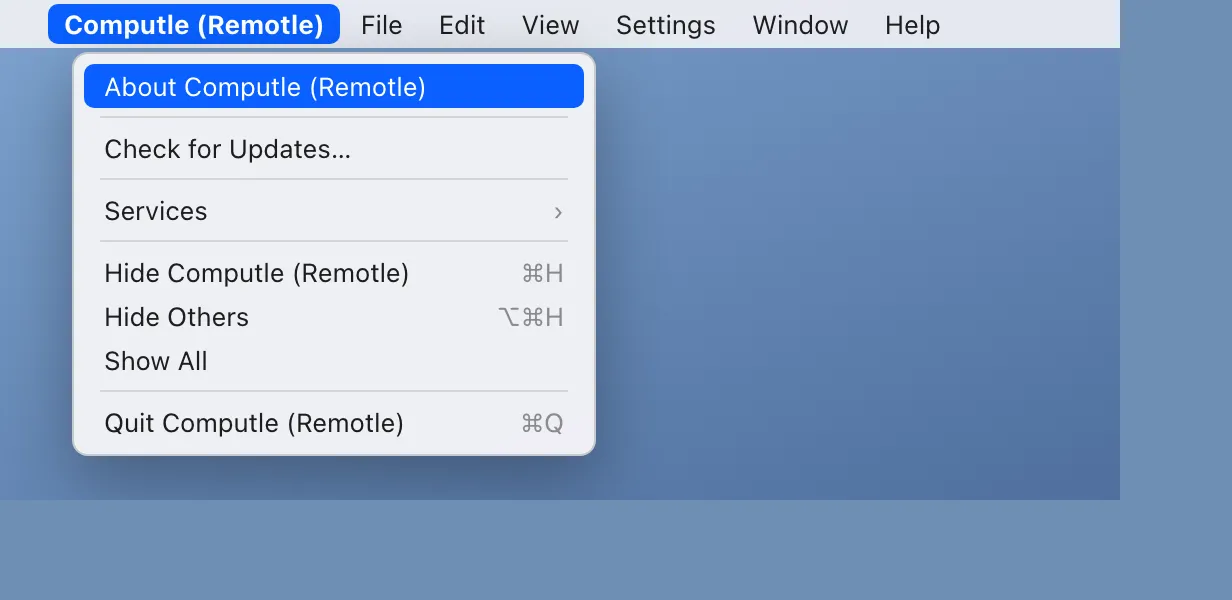
Click Computle (Remotle) in the menu bar, then About Computle (Remotle).
The same menu has Check for Updates.
-
Read the version.
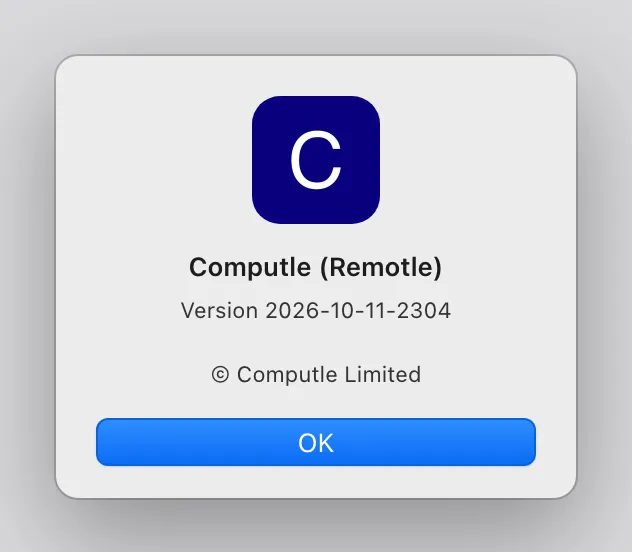
Settings, About in the app shows the same version with the build date.
Settings, About shows the version and the build date. From a terminal, apt show computle-stream prints the installed version.
Settings, About shows the version and the build date. Updates come from the App Store.
Questions
Section titled “Questions”Remotle will not open on Windows. What now?
Section titled “Remotle will not open on Windows. What now?”Open About Computle (Remotle) from the install folder, as described above. If the banner says a stuck process is blocking launch, click End stuck Remotle and open Remotle again. If Remotle still does not open, click Copy details and send the text to your account manager.