Host Status Window
Licence
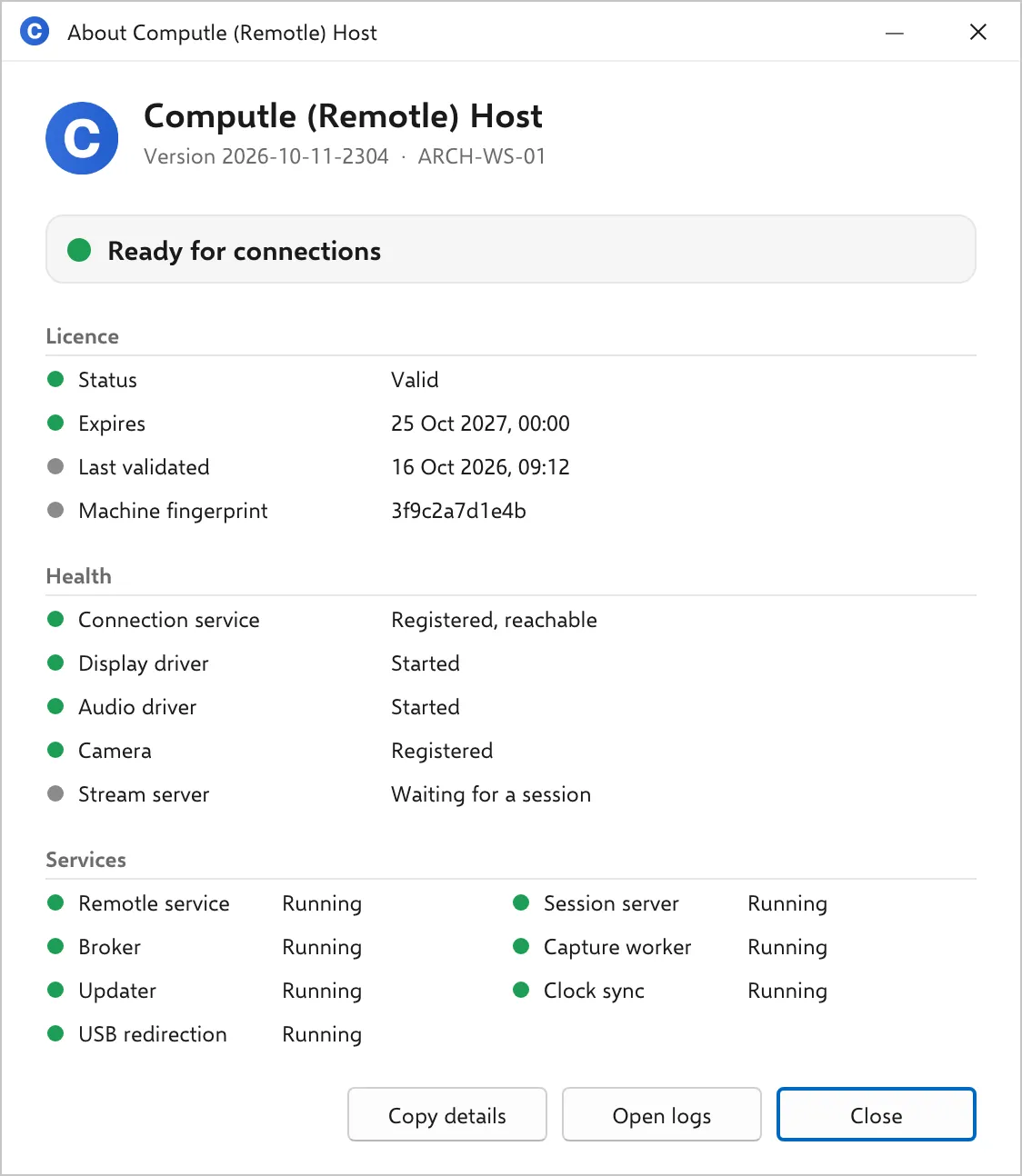
The host checks its licence with Computle when it starts and once an hour after that. The Licence section shows the result of the last check.
Licence
Section titled “Licence”| Line | Values | Meaning |
|---|---|---|
| Status | Valid | The last check passed. |
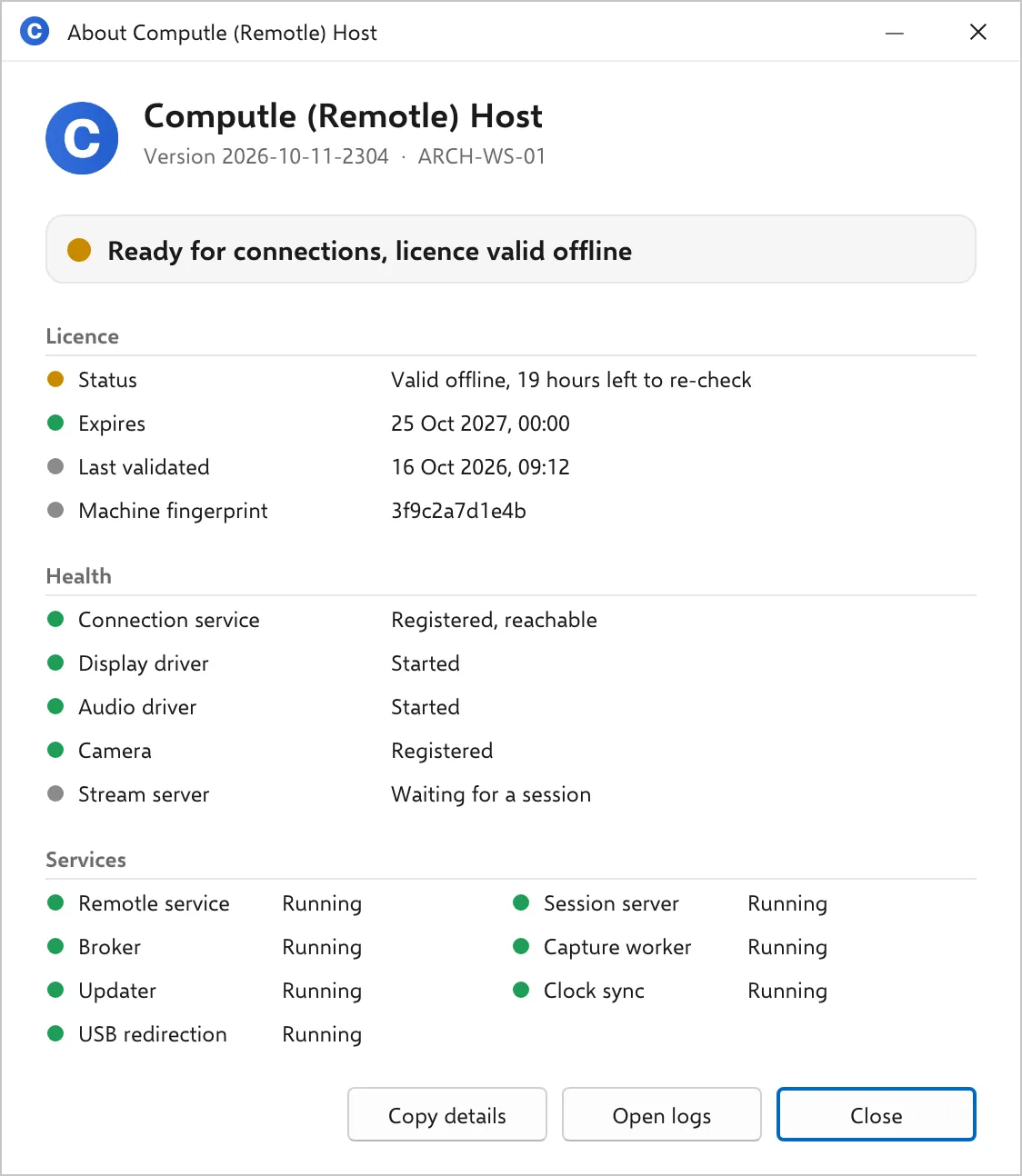
| Valid offline, N left to re-check | The last check could not reach Computle. The host keeps working for 24 hours from the last successful check; the line counts down what is left. | |
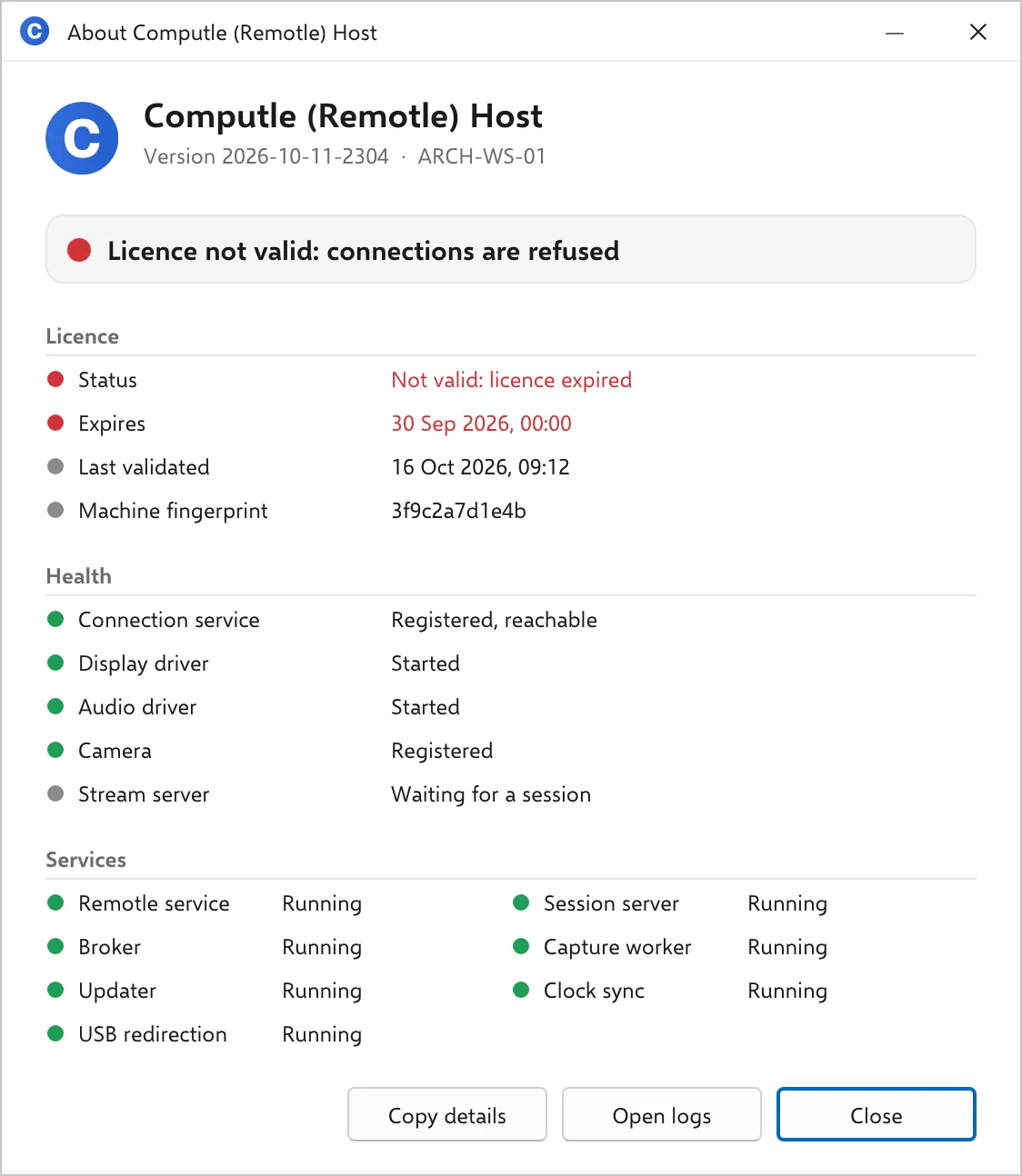
| Not valid, or Not valid: reason | The licence is expired, suspended or not found. Connections are refused. The reason is Computle’s wording for the failure. | |
| Not checked yet | The service has started and not finished its first check. | |
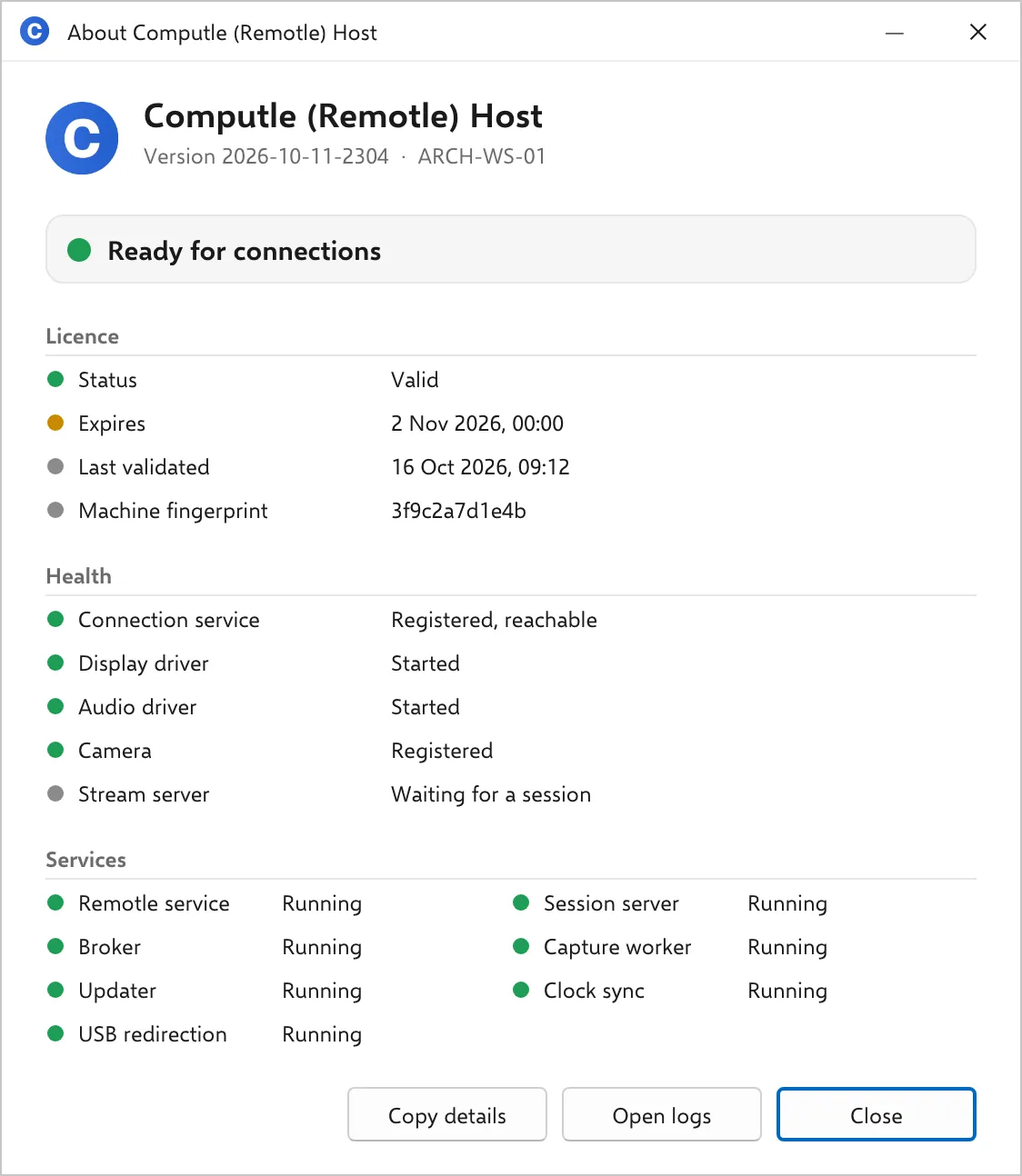
| Expires | A date and time, or No expiry date | The licence end date. Amber when fewer than 30 days remain, red when passed. |
| Last validated | A date and time, or Never | When the last successful check with Computle was. |
| Machine fingerprint | 12 characters | The start of the identifier the licence is tied to. Quote it to your account manager when asked. |
Valid offline
Section titled “Valid offline”The workstation could not reach Computle at the last check. Sessions work. The banner is amber and reads “Ready for connections, licence valid offline”. Check the workstation’s access to keygen.computle.com on TCP 443 before the countdown ends.
Expiring soon
Section titled “Expiring soon”Fewer than 30 days remain. The Expires line turns amber and the banner stays green. Contact your account manager.
Not valid
Section titled “Not valid”Connections are refused. The banner is red and the Status line carries the reason.
No status
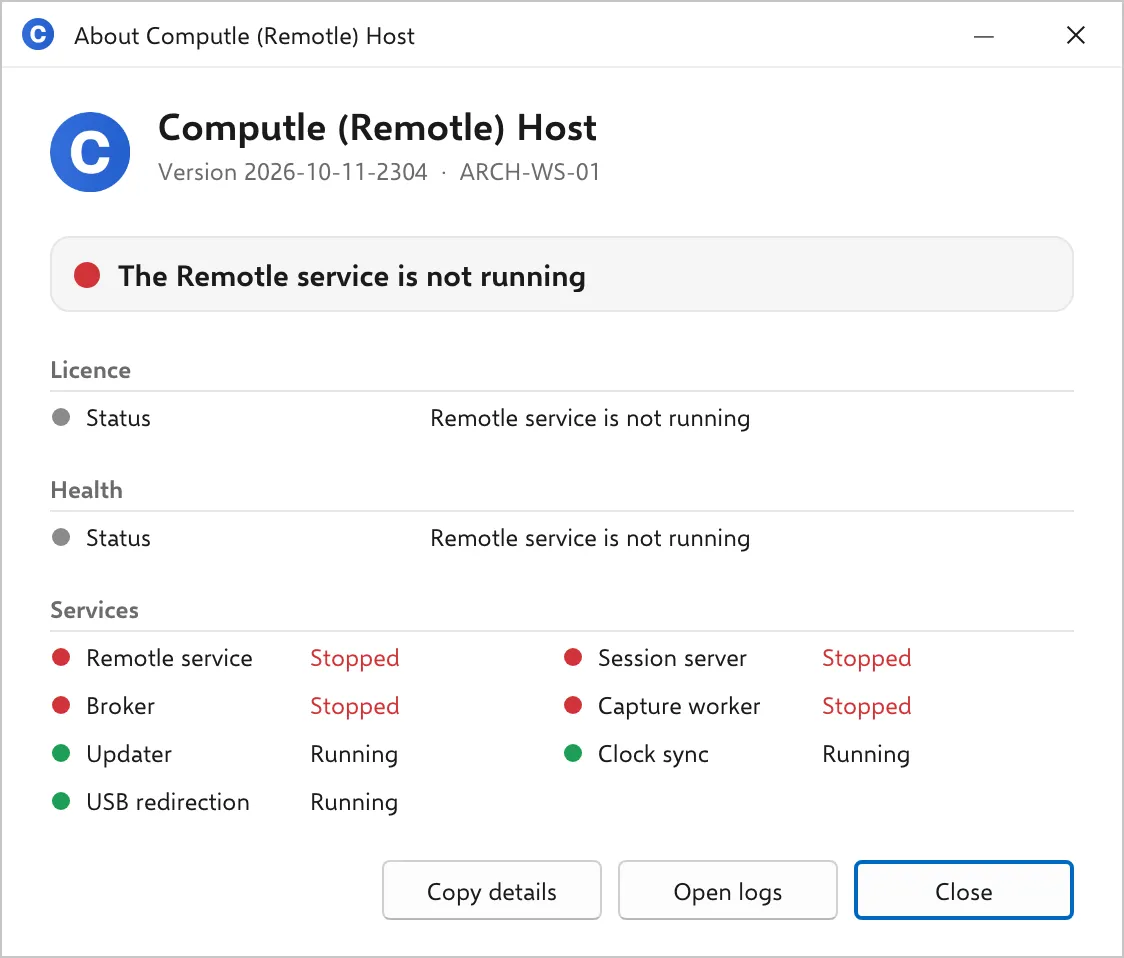
Section titled “No status”While the host cannot report a status, the Licence section shows one line explaining why: “Remotle service is not running”, “Remotle service has not reported a status”, or “Last report N ago”.
Related
Section titled “Related”Questions
Section titled “Questions”The licence says Valid and a user is told the licence is missing or invalid
Section titled “The licence says Valid and a user is told the licence is missing or invalid”The user’s message comes from the connection service, which checks the licence for the workstation the user picked. Open the window on that workstation and read its Licence section. If it reads Valid, quote the Machine fingerprint to your account manager.