Host Status Window
Banner states
The banner is the first thing to read. The conditions are checked in this order, and the first one that applies is shown.
The banner
Section titled “The banner”| Banner | Dot | Meaning | What to do |
|---|---|---|---|
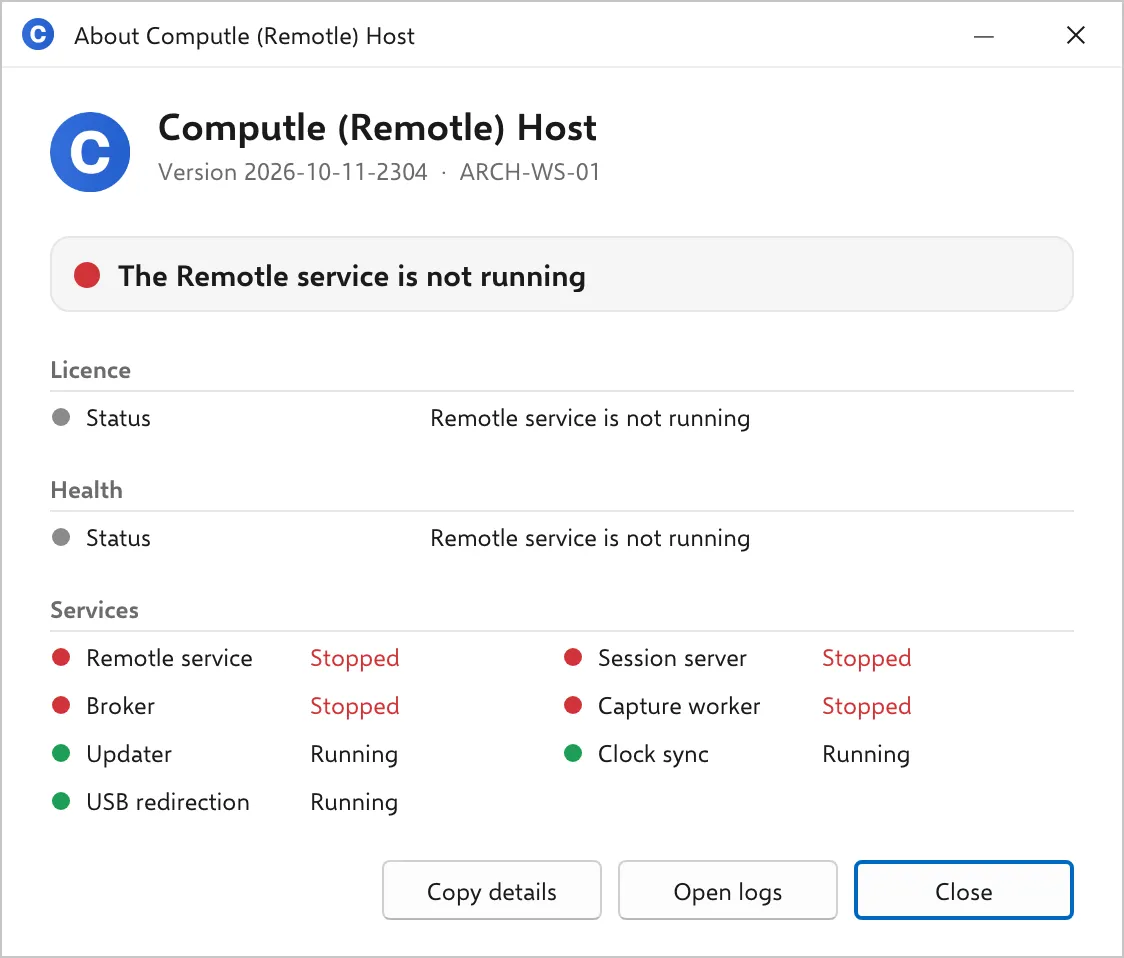
| The Remotle service is not running | Red | ComputleService, which supervises the host, is stopped. Nothing streams. | Start Computle Remotle Service in Services, or restart the workstation. If it stops again, see Host Logs. |
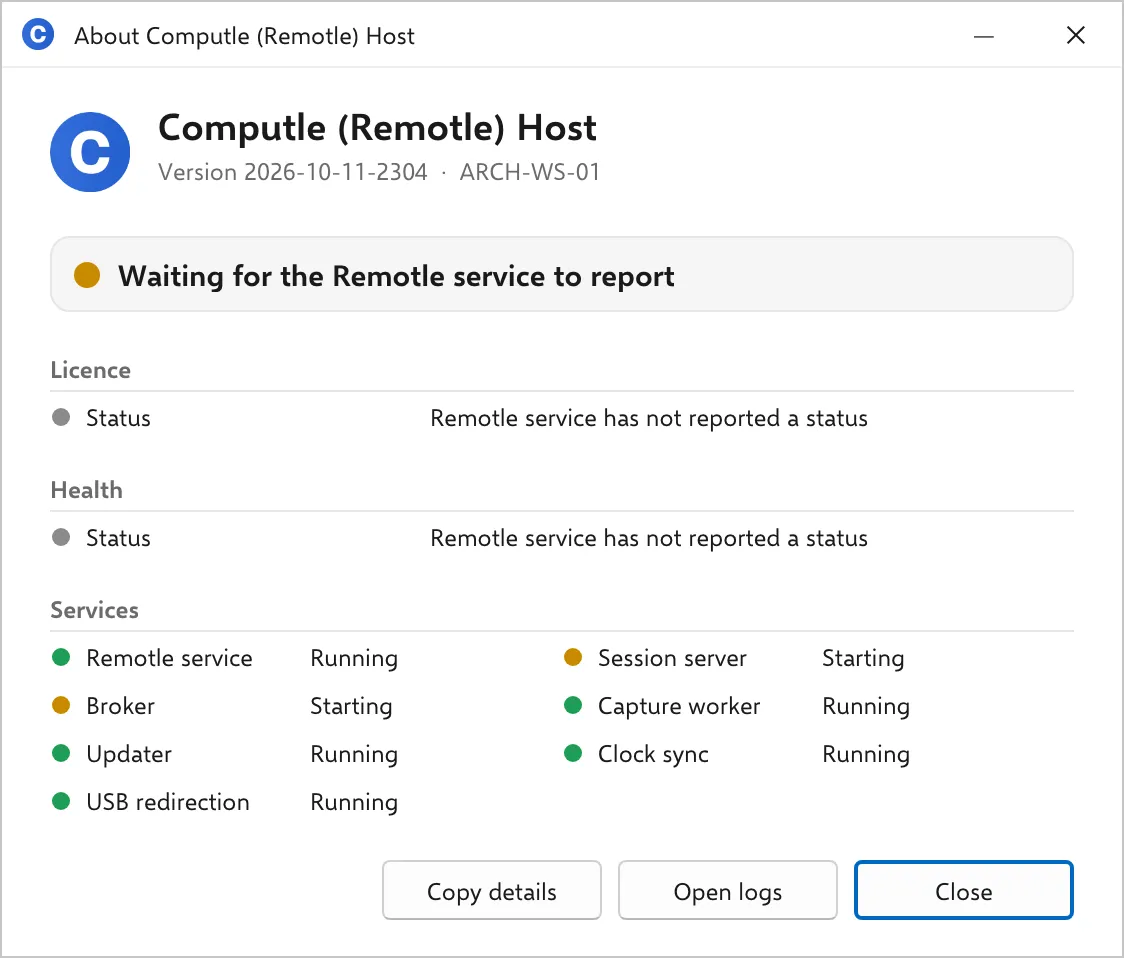
| Waiting for the Remotle service to report | Amber | The service is running and has not written a status in the last 30 seconds. Normal for a few seconds after a start. | Wait. If it stays, the service is running but not healthy; restart it. |
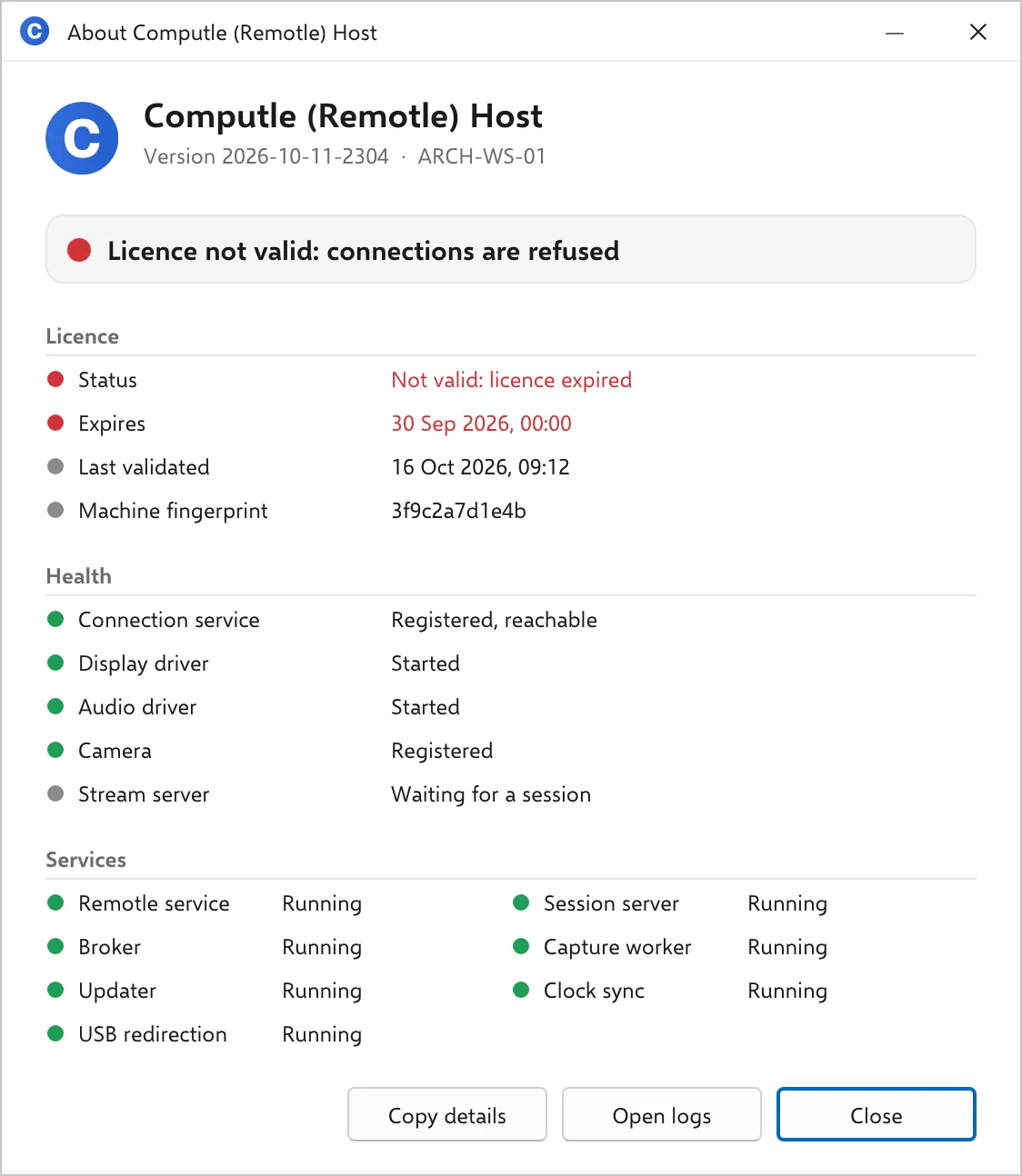
| Licence not valid: connections are refused | Red | The licence check failed. The Licence section says why. | Contact your account manager and quote the Status line from the Licence section. |
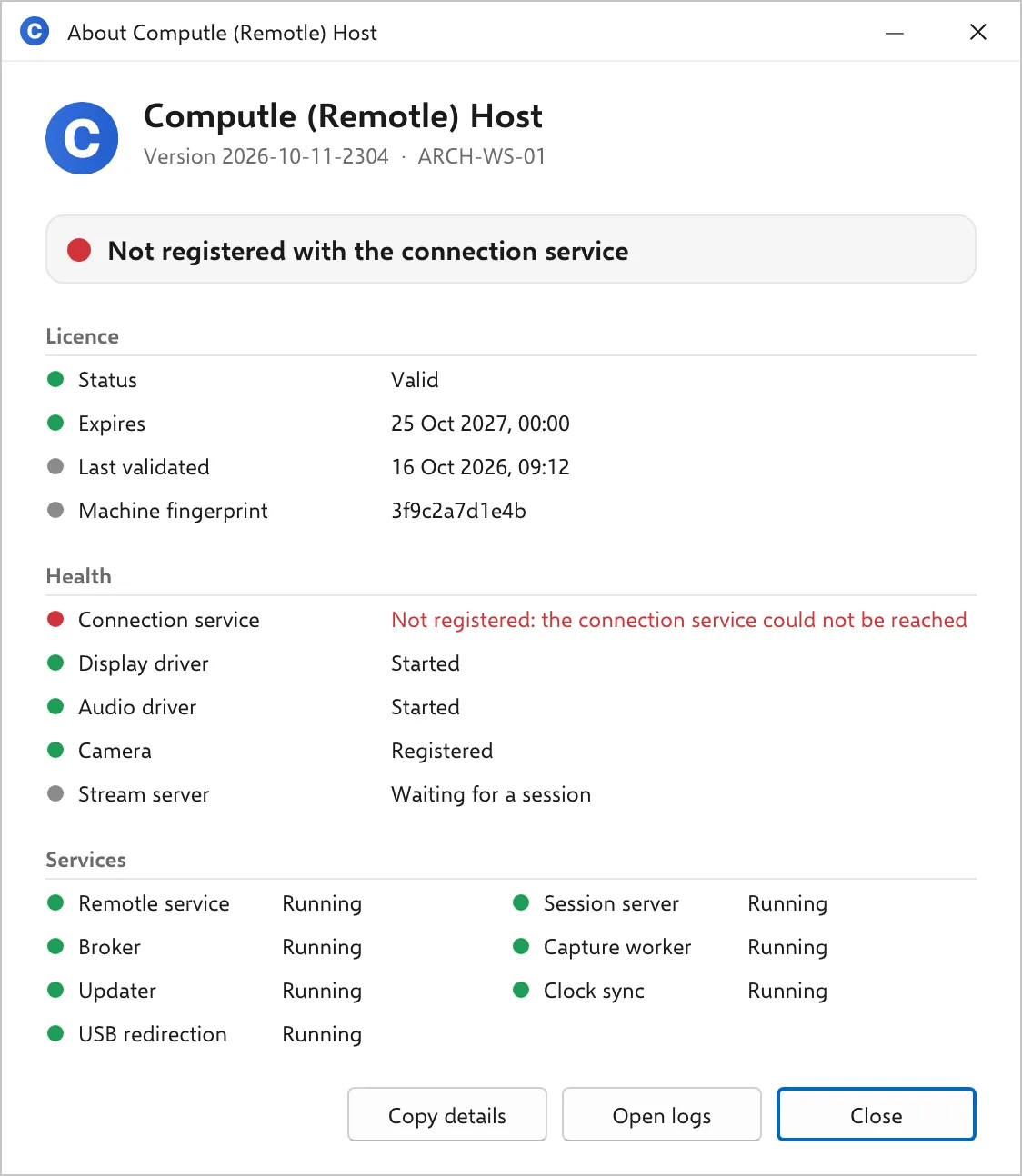
| Not registered with the connection service | Red | The host has no open connection to Computle, so no client can reach it. The Health section’s Connection service line says why. | Check the workstation’s internet access against Network Requirements. A host that has not been enrolled shows this until it is. |
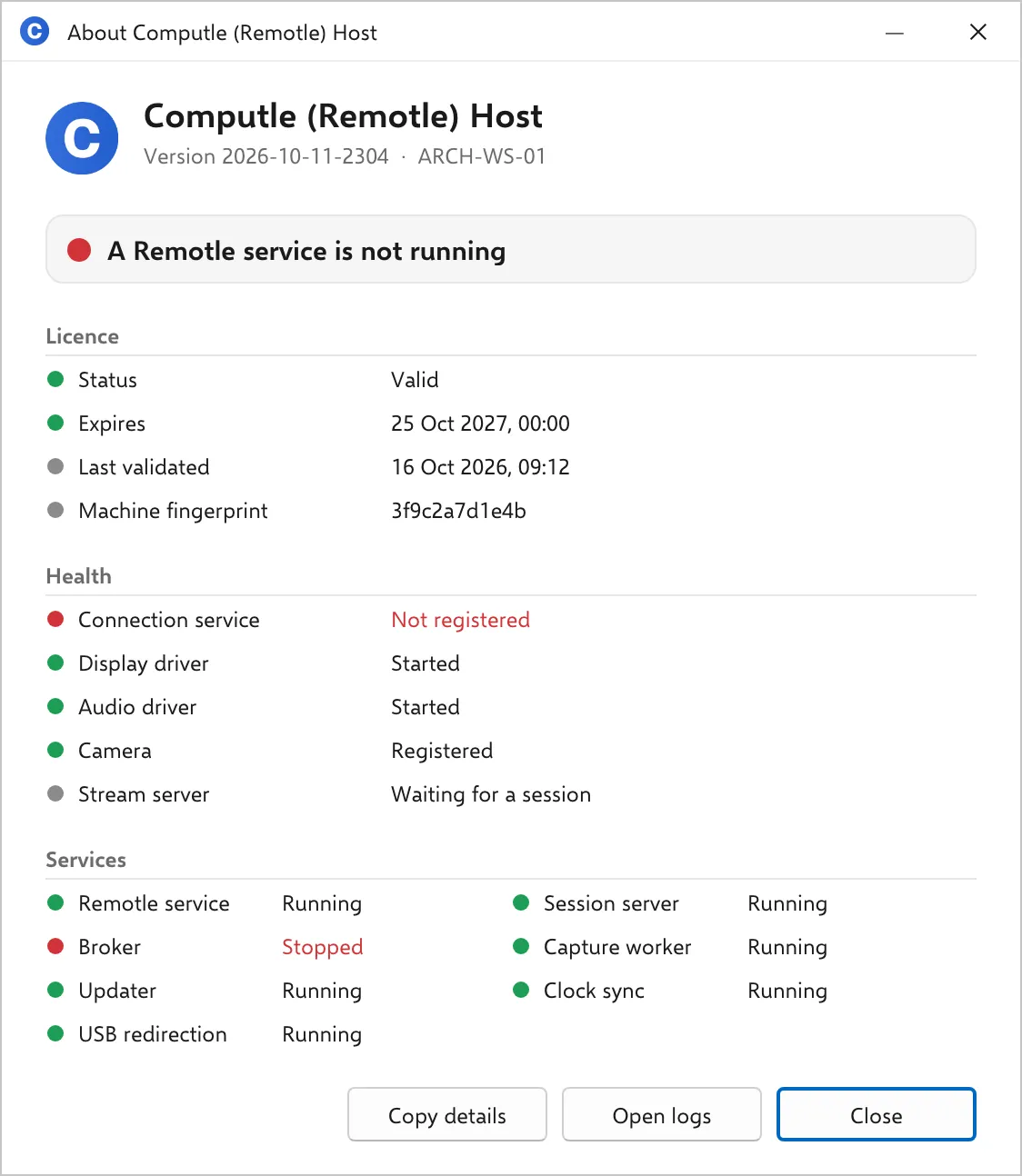
| A Remotle service is not running | Red | The supervising service is running and one of Session server, Broker or Capture worker is not. | Find the stopped service in the Services section and start it. If it stops again, see Host Logs. |
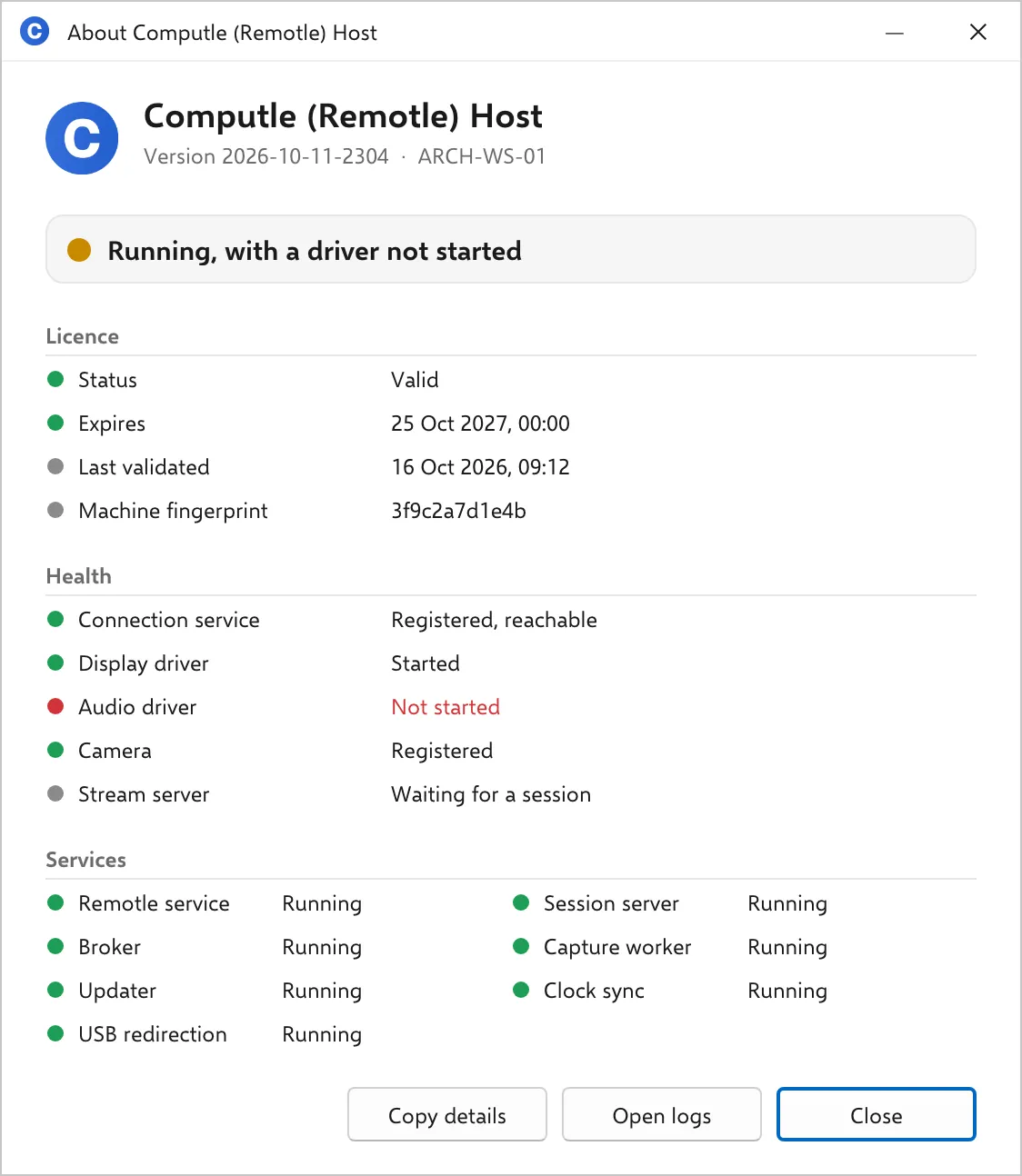
| Running, with a driver not started | Amber | The host is registered and a display, audio or camera component did not start. Sessions may work with something missing. | Find the Not started line in the Health section. Repairing the install puts the drivers back; see Upgrade, repair and uninstall. |
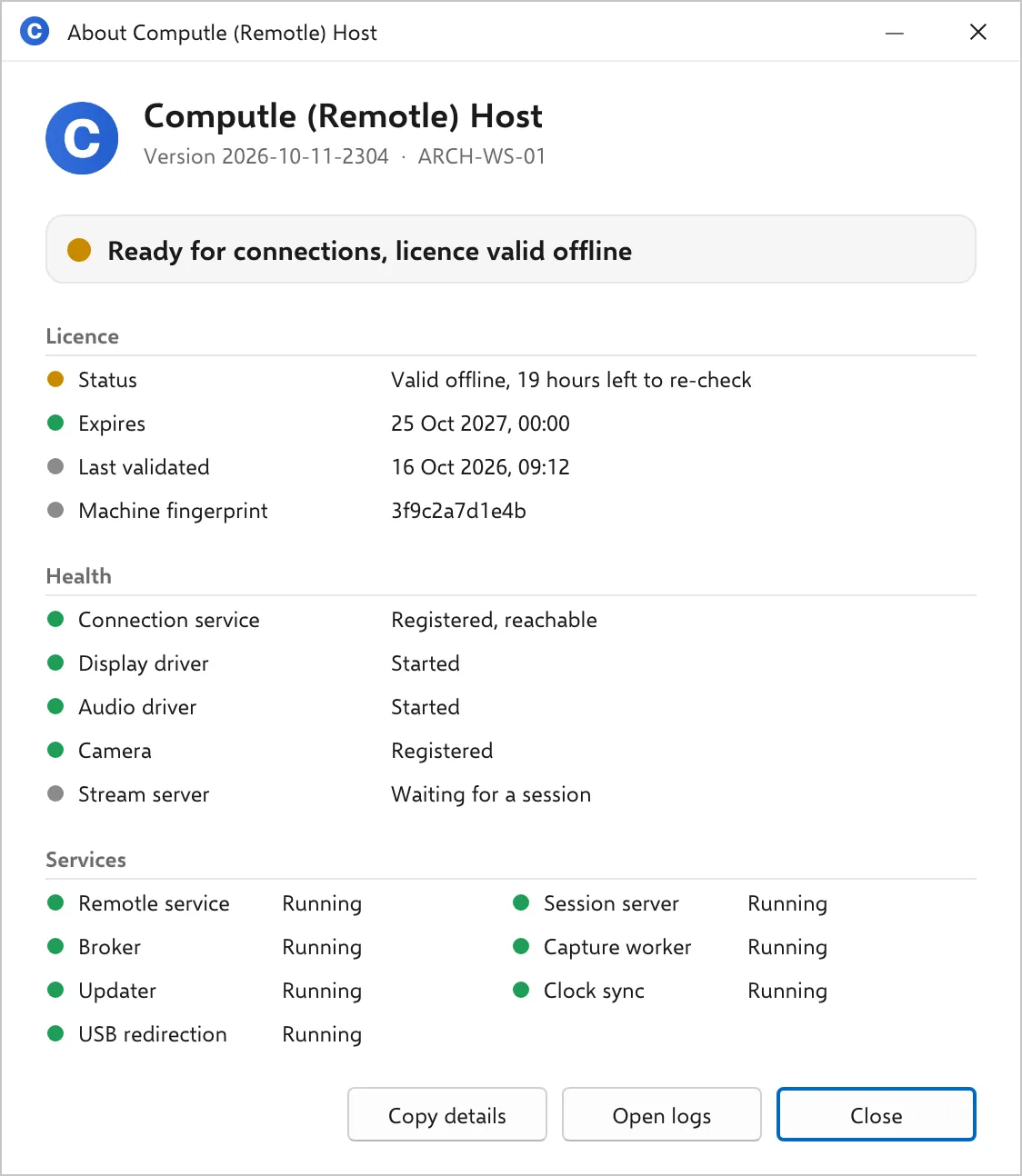
| Ready for connections, licence valid offline | Amber | Everything works. The last licence check could not reach Computle and the host is in its 24-hour grace period. | Check the workstation’s access to keygen.computle.com on TCP 443. |
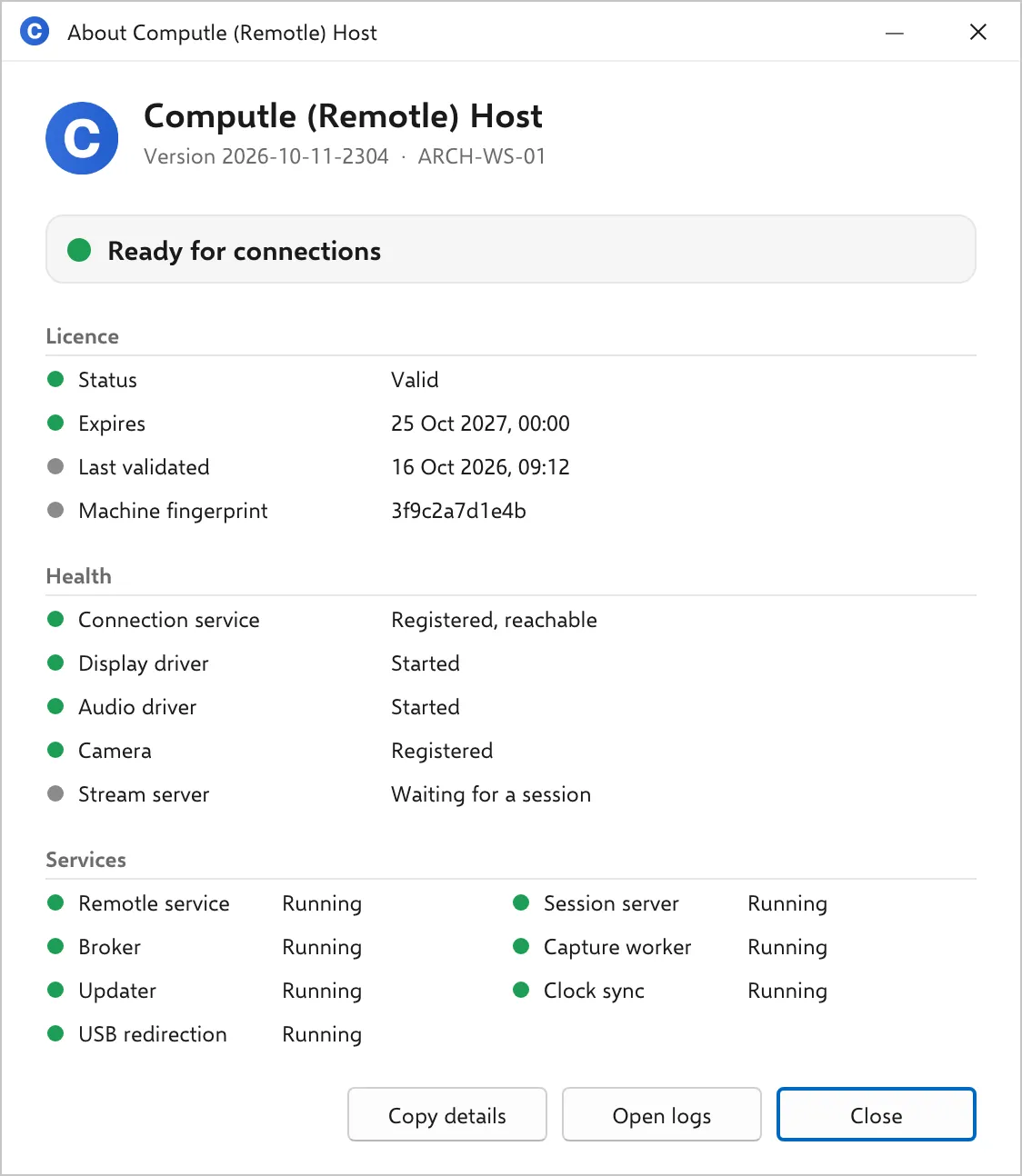
| Ready for connections | Green | Registered, licensed, every driver and service running. | Nothing. |
Each state
Section titled “Each state”The Remotle service is not running
Section titled “The Remotle service is not running”The Licence and Health sections each show one line, “Remotle service is not running”, because nothing is writing the status file. The required services read Stopped.
Waiting for the Remotle service to report
Section titled “Waiting for the Remotle service to report”The service is running and the status file is missing or older than 30 seconds. Services that are coming up read Starting.
Licence not valid: connections are refused
Section titled “Licence not valid: connections are refused”The Licence section’s Status line carries the reason in Computle’s wording. Everything else can be healthy.
Not registered with the connection service
Section titled “Not registered with the connection service”The Health section’s Connection service line gives the reason the host reports. A workstation that has just been installed and not yet enrolled shows this.
A Remotle service is not running
Section titled “A Remotle service is not running”The supervising service is running and one of the three services it needs is not. The host restarts a required service that stops; one that stays stopped is a fault.
Running, with a driver not started
Section titled “Running, with a driver not started”The host is registered and will accept a session. The Health line in red names what is missing: here the audio driver, so a session has no sound.
Ready for connections, licence valid offline
Section titled “Ready for connections, licence valid offline”Sessions work. The Licence section’s Status line counts down the grace period left.
Ready for connections
Section titled “Ready for connections”Nothing to do.
Related
Section titled “Related”Questions
Section titled “Questions”A user says they cannot connect. What do I look at first?
Section titled “A user says they cannot connect. What do I look at first?”Open the window on the workstation and read the banner. “Ready for connections” means the workstation is fine and the problem is on the user’s side or the network between; run Diagnostics in the user’s Remotle app (see Diagnostics). Anything else names the fault on the workstation.
The banner says Ready and the user still cannot connect
Section titled “The banner says Ready and the user still cannot connect”The workstation is registered and healthy. Ask the user to open Settings, Diagnostics in the Remotle app and click Run Test. A failure under Relays or STUN means UDP is blocked on the user’s network. See Network Requirements.