Single Sign-On
Troubleshooting
If a sign-in fails
Section titled “If a sign-in fails”Users see the normal Windows sign-in screen and sign in with their password. Nothing is locked, and the session continues.
| Cause | What to check |
|---|---|
| The user’s account is in another directory | The account must be in the directory you connected. |
| The workstation is not in the device group | SSO diagnostics, Device group column. |
| The workstation is joined only to a domain, or to no directory | SSO diagnostics, Microsoft Entra column. |
| Windows is older than the required build | SSO diagnostics, Windows build column. |
| A policy blocks the sign-in package | SSO diagnostics, LSASS policy column, and Policies that stop it working. |
| A Conditional Access policy blocked it | Last single sign-on in SSO diagnostics, and the Microsoft Entra sign-in logs. |
| The user closed the Microsoft sign-in window in their browser | Ask them to connect again and complete the sign-in. |
| The account is disabled or locked in Microsoft Entra | The user in Microsoft Entra. |
| Single sign-on is Off for the user | Client settings, Device features, Per-user exceptions. See Device Features. |
Check the connection
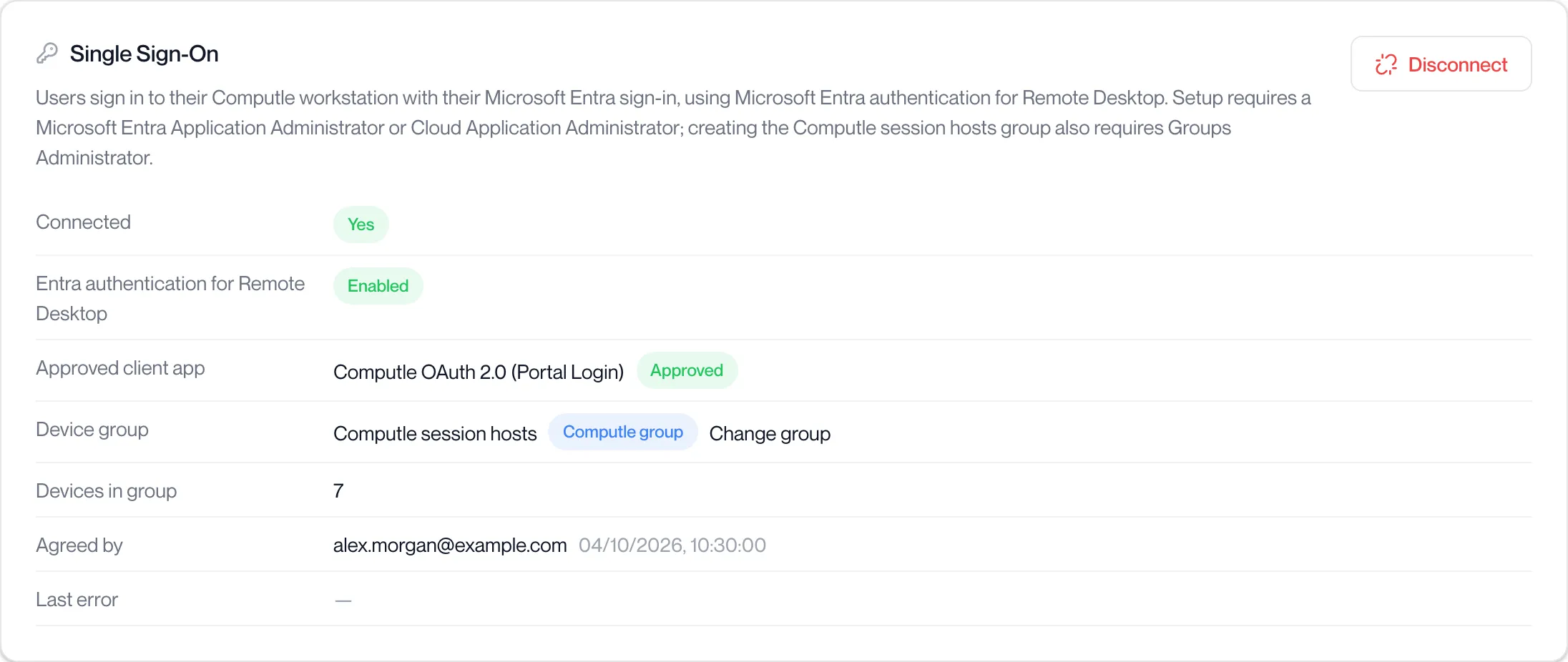
Section titled “Check the connection”Open Users, Single Sign-On. Connected must show Yes and Entra authentication for Remote Desktop must show Enabled. The Last error row shows the most recent problem Computle met in your directory, with its time. A Reconnect needed badge means the connection must be made again with an administrator sign-in; the button reads Reconnect Microsoft Entra.
Check each workstation
Section titled “Check each workstation”Open Users, SSO diagnostics. The page checks your organisation’s connection, then each workstation:
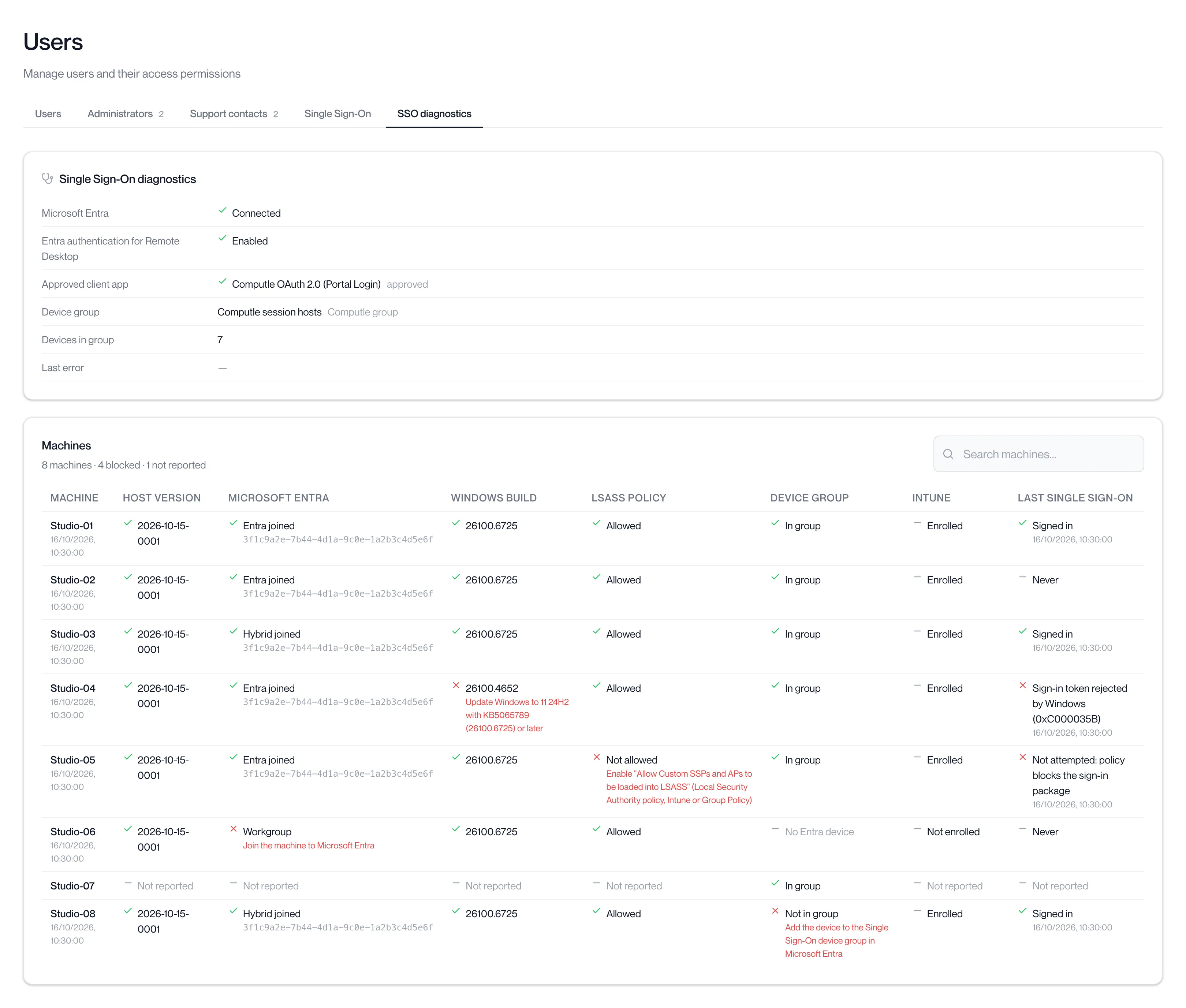
Each failed check shows what to fix in red beneath it. The heading counts how many workstations are blocked and how many have not reported yet.
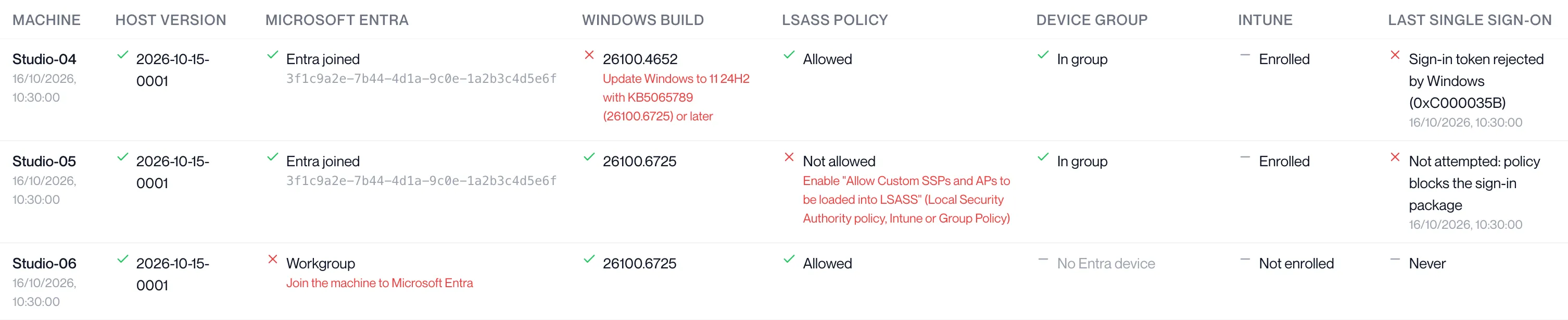
| Check | If it fails |
|---|---|
| Host version | Update the Remotle host. |
| Microsoft Entra | Domain only: the workstation needs hybrid join through Entra Connect. Workgroup: join the workstation to Microsoft Entra. |
| Windows build | Update Windows to 11 24H2 with KB5065789 or later, or Windows Server 2025 with KB5073379 or later. |
| LSASS policy | Enable “Allow Custom SSPs and APs to be loaded into LSASS” in Intune or Group Policy, or leave it Not configured. |
| Device group | Add the workstation to the Single Sign-On device group in Microsoft Entra. With the Computle group, this happens once the workstation reports its Microsoft Entra join. |
| Intune | Shown for information. |
| Last single sign-on | Shows the result of the last attempt, or the reason Windows refused it. |
A workstation showing “Not reported” in every column has not sent its readiness yet. It reports when the Remotle host starts and after each change.
Type in Search machines… to find one workstation by name.