Host Status Window
Services
The Services section lists the seven host services and the state of each, in two columns.
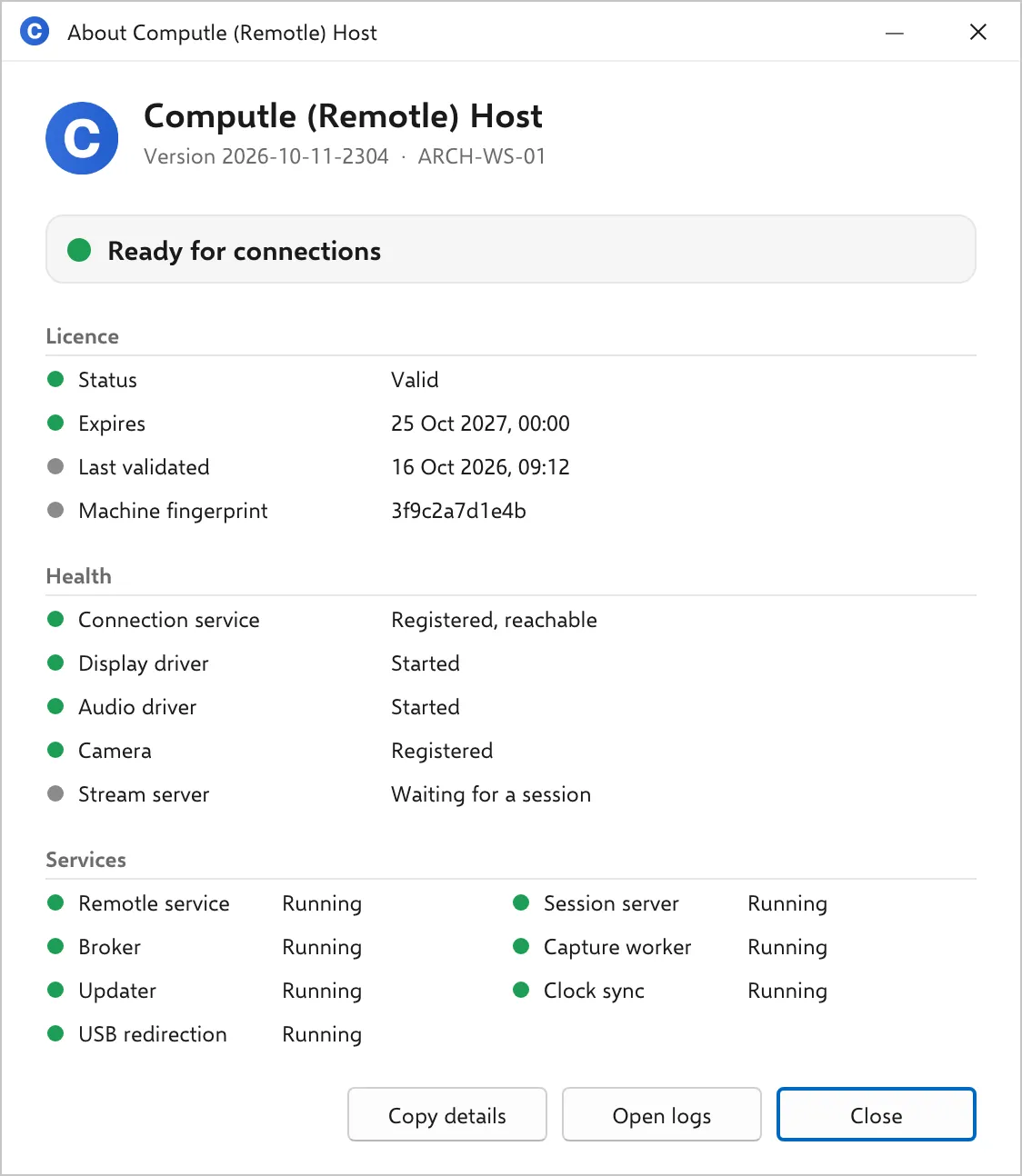
Services
Section titled “Services”| Line | Service | Required |
|---|---|---|
| Remotle service | ComputleService | Yes |
| Session server | ComputleSessionServer | Yes |
| Broker | ComputleBroker | Yes |
| Capture worker | ComputleCaptureWorker | Yes |
| Updater | ComputleUpdater | No |
| Clock sync | ComputleClockSync | No |
| USB redirection | ComputleUSBPresent | No |
The eighth host service, Computle Enrolment, is not listed. It runs only while the workstation’s certificate is being obtained or renewed.
| State | Colour | Meaning | What to do |
|---|---|---|---|
| Running | Green | The service is running. | Nothing. |
| Starting, Stopping, Paused | Amber | The service is changing state. | Wait a few seconds. |
| Stopped | Red | The service is installed and not running. | Start it in Services. The Remotle service restarts the required services if they stop; one that stays stopped is logged in Host Logs. |
| Starts when needed | Grey | An optional service set to manual start. | Nothing. |
| Disabled | Red for a required service, grey for an optional one | The service’s start type is Disabled. | Set it back to Automatic in Services. A disabled USB redirection service means USB devices are off on this workstation. |
| Not installed | Red for a required service, grey for an optional one | The service does not exist. | Repair the install. |
| Status not available to this account | Grey | The signed-in account may not query services. | Sign in as an administrator, or read the Services console. |
A required service stopped
Section titled “A required service stopped”The banner turns red and reads “A Remotle service is not running”.
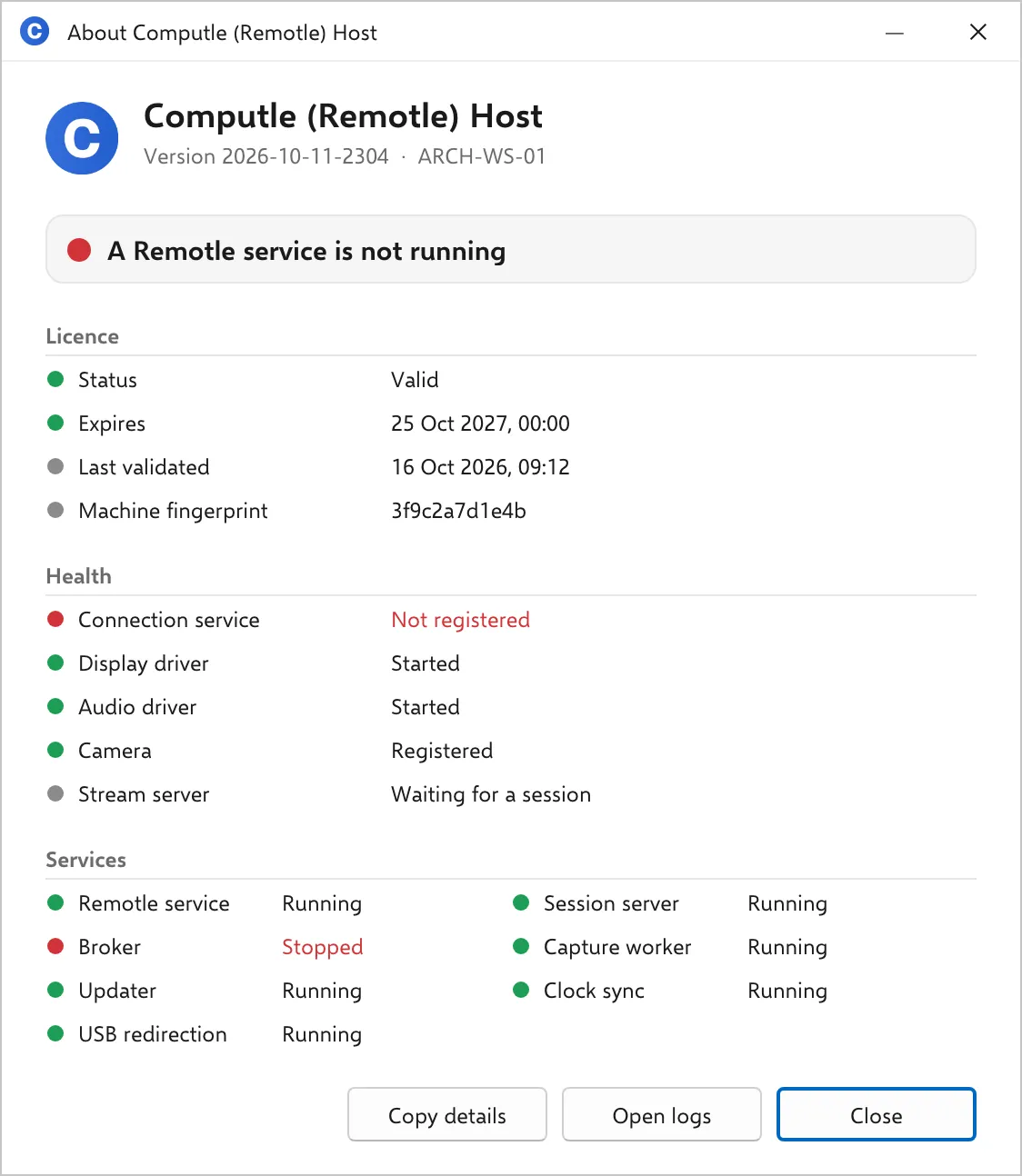
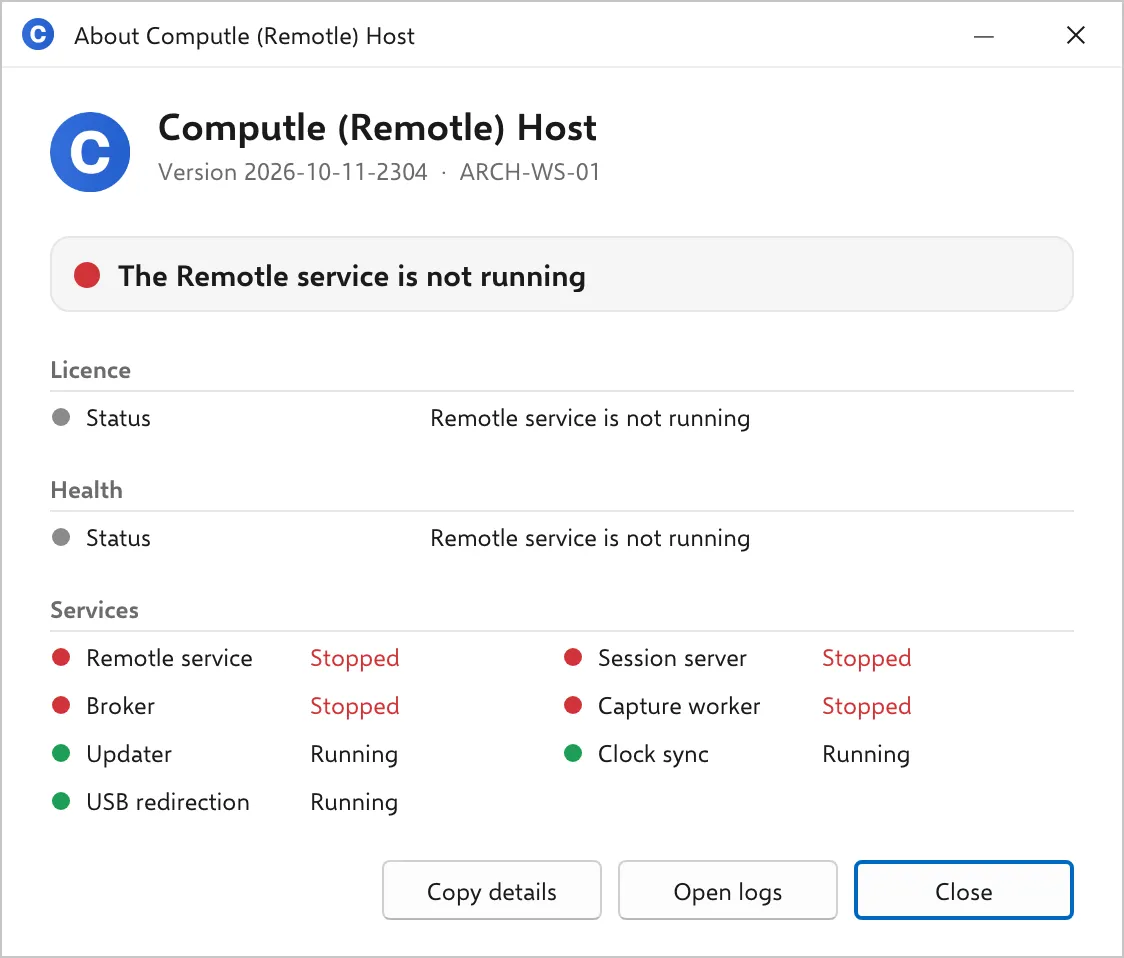
The Remotle service stopped
Section titled “The Remotle service stopped”Nothing writes the status file, so the Licence and Health sections show one line each, and the services the Remotle service starts read Stopped too.
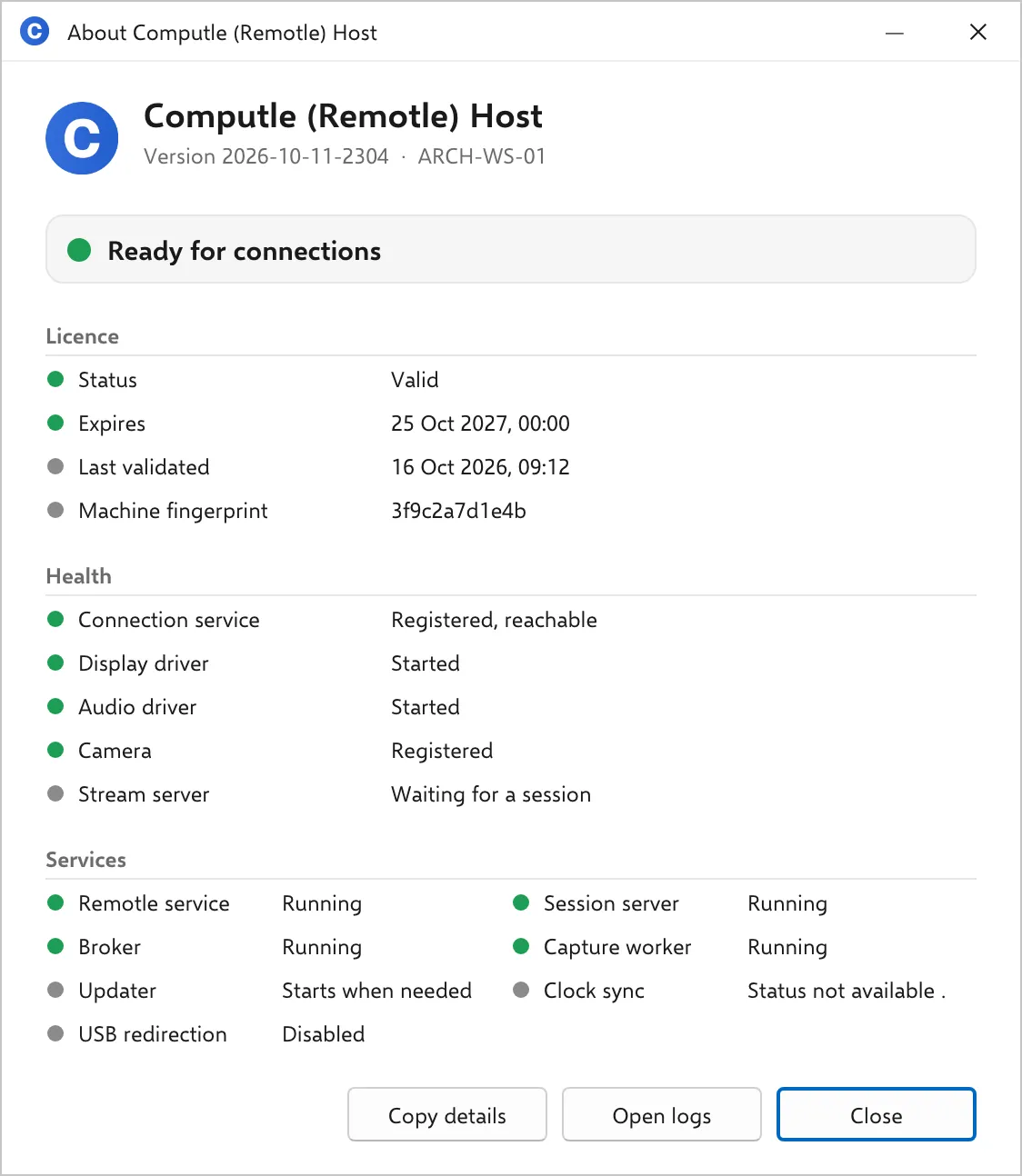
Optional services in other states
Section titled “Optional services in other states”The banner stays green. Here the updater is set to manual start, the signed-in account may not query the clock service, and USB redirection is disabled.
Related
Section titled “Related”Questions
Section titled “Questions”A service reads Stopped and starts again on its own
Section titled “A service reads Stopped and starts again on its own”The Remotle service supervises the required services and restarts one that stops. A service that stops repeatedly is a fault; turn local logging on and send the logs. See Host Logs.